
Backups
HostCraft uses restic for backups. Encrypted, deduplicated, incremental, and supports S3, Backblaze B2, SFTP, and local repositories. The panel wraps restic so operators get scheduled snapshots, retention policies, and one-click restores without writing a single restic CLI command.
Repository setup
Section titled “Repository setup”The first thing to configure on a fresh install is at least one backup repository. Open Backups -> Repositories -> Add.
S3 (or any S3-compatible)
Section titled “S3 (or any S3-compatible)”Name: jcr-prod-s3Backend: s3Endpoint: s3.ap-southeast-2.amazonaws.comBucket: hostcraft-backups-jcr-prodPath prefix: panel-01/Access key: AKIA...Secret key: ********Encryption: repokey (recommended)Password: (auto-generated, stored in /etc/hostcraft/backup.env mode 0600)Cloudflare R2, Backblaze B2 (S3-compatible), and DigitalOcean Spaces all work via the S3 backend. HostCraft does not charge or upcharge per-GB; you pay your storage provider directly.
Backblaze B2 (native)
Section titled “Backblaze B2 (native)”Name: jcr-prod-b2Backend: b2Bucket: hostcraft-jcr-prodAccount ID: abc123...Application key: ********Name: local-nvmeBackend: localPath: /var/backups/hostcraftLocal repositories are useful as a staging tier before replicating to off-site, but should never be the only repository. A single fire or filesystem corruption takes them out.
Default retention
Section titled “Default retention”HostCraft applies a sensible default retention policy on every repository:
| Granularity | Keep |
|---|---|
| Hourly snapshots | 24 |
| Daily snapshots | 7 |
| Weekly snapshots | 4 |
| Monthly snapshots | 6 |
| Yearly snapshots | 1 |
Tune these per repository or per account from the Repository -> Retention tab. The retention policy runs immediately after each successful snapshot; pruning deletes redundant data and reclaims space.
What gets backed up
Section titled “What gets backed up”Per-account, by default, every backup snapshot includes:
- Document roots (
/home/<account>/sites/*) - All databases owned by the account (logical dumps via
mariadb-dump --single-transaction) - Mailbox contents (
/home/<account>/mail/*) - Per-account config (vhost, FPM pool, cron, mail aliases, DKIM keys)
- Customer files outside doc roots if the customer opts in (
/home/<account>/files/*)
Server-level config (nginx core, MariaDB server settings, PowerDNS schema) is included in a dedicated _server_ snapshot taken alongside the account snapshots, so a full DR rebuild can be replayed from a single repository.
Schedules
Section titled “Schedules”Default schedule on a fresh install:
| Job | When | What |
|---|---|---|
| Hourly account snapshot | 5 minutes past every hour | All accounts |
| Daily server snapshot | 02:00 local | Server-level config |
| Weekly verification | Sunday 04:00 | restic check --read-data-subset=10% |
| Monthly full verification | First Sunday 05:00 | restic check --read-data |
Verification is non-negotiable. A backup that has not been verified is wishful thinking. HostCraft alerts on verification failure and surfaces the affected snapshot in the panel.
Restoring
Section titled “Restoring”Restore one site
Section titled “Restore one site”hostcraftd restore \ --account=acme \ --site=acme.com \ --snapshot=latest \ --target=/var/restore/acme.com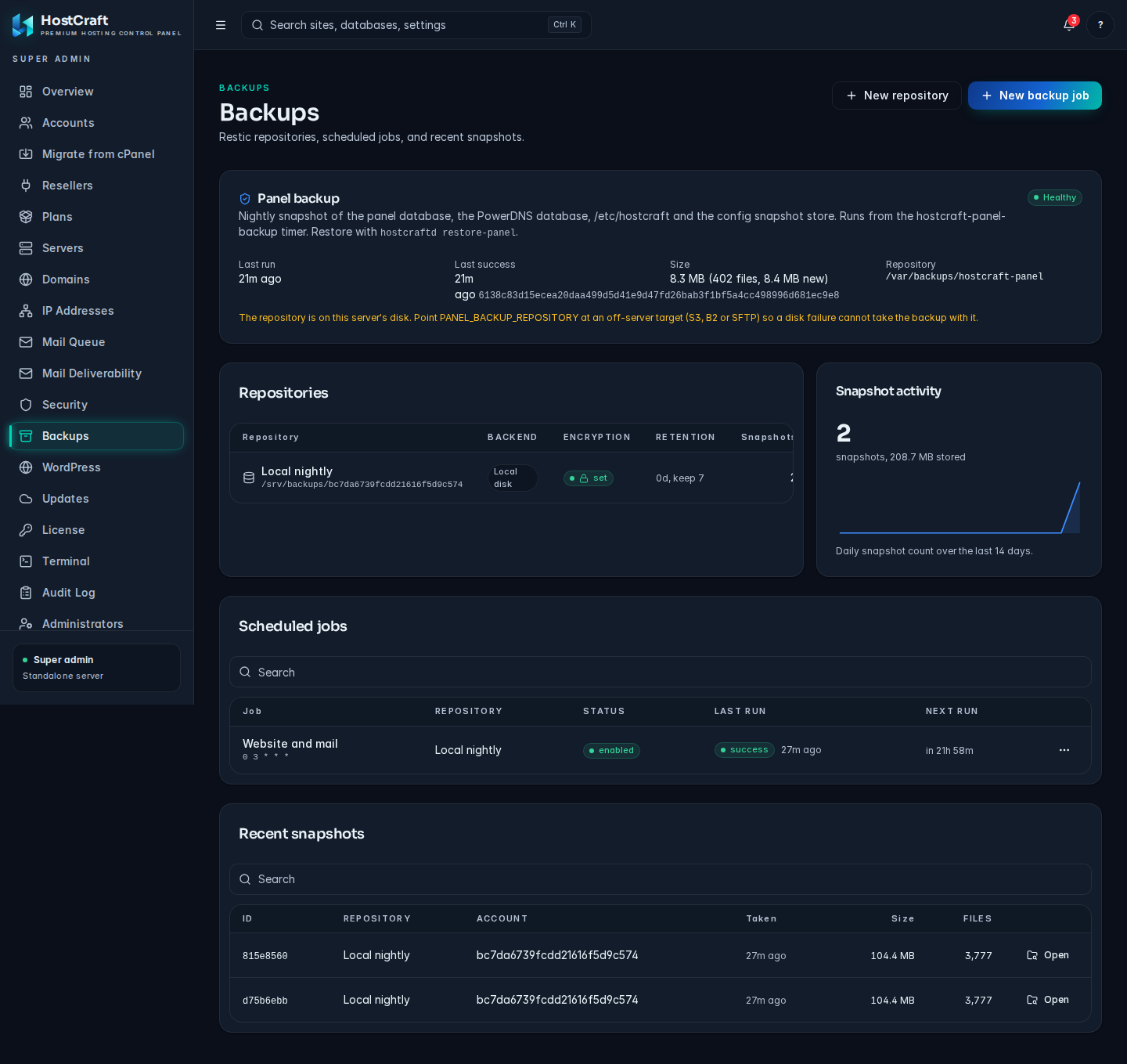
Restore by default writes to a parallel directory so the operator can verify before swapping. Use --in-place to overwrite the live doc root after verification.
Restore one database
Section titled “Restore one database”hostcraftd restore \ --account=acme \ --db=acme_wp \ --snapshot=2026-05-06T02:00:00 \ --as-database=acme_wp_restoredRestoring as a sibling DB lets the operator diff against the live one before promoting.
Full account restore (DR)
Section titled “Full account restore (DR)”hostcraftd restore --account=acme --snapshot=latest --fullRestores doc roots, databases, mail, and config in dependency order via the workflow saga. Each step has a compensation, so a partial failure does not leave the account in a half-restored state.
Server bare-metal restore
Section titled “Server bare-metal restore”The _server_ snapshot plus the account snapshots are sufficient to rebuild a server from scratch. The runbook lives under Operations -> Disaster recovery.
Cross-region replication
Section titled “Cross-region replication”For high-stakes deployments (JCR-managed customers, regulated workloads), configure a second repository in a different region. HostCraft replicates snapshots from the primary repository to the secondary on a schedule:
Primary: jcr-prod-s3 (ap-southeast-2)Secondary: jcr-dr-s3 (us-west-2)Mode: async, sync after each snapshotReplication uses rclone under the hood. HostCraft does not re-encrypt during replication; the restic encryption travels with the data.
Customer-driven restores
Section titled “Customer-driven restores”Account owners can self-serve restores within their account scope from the panel:
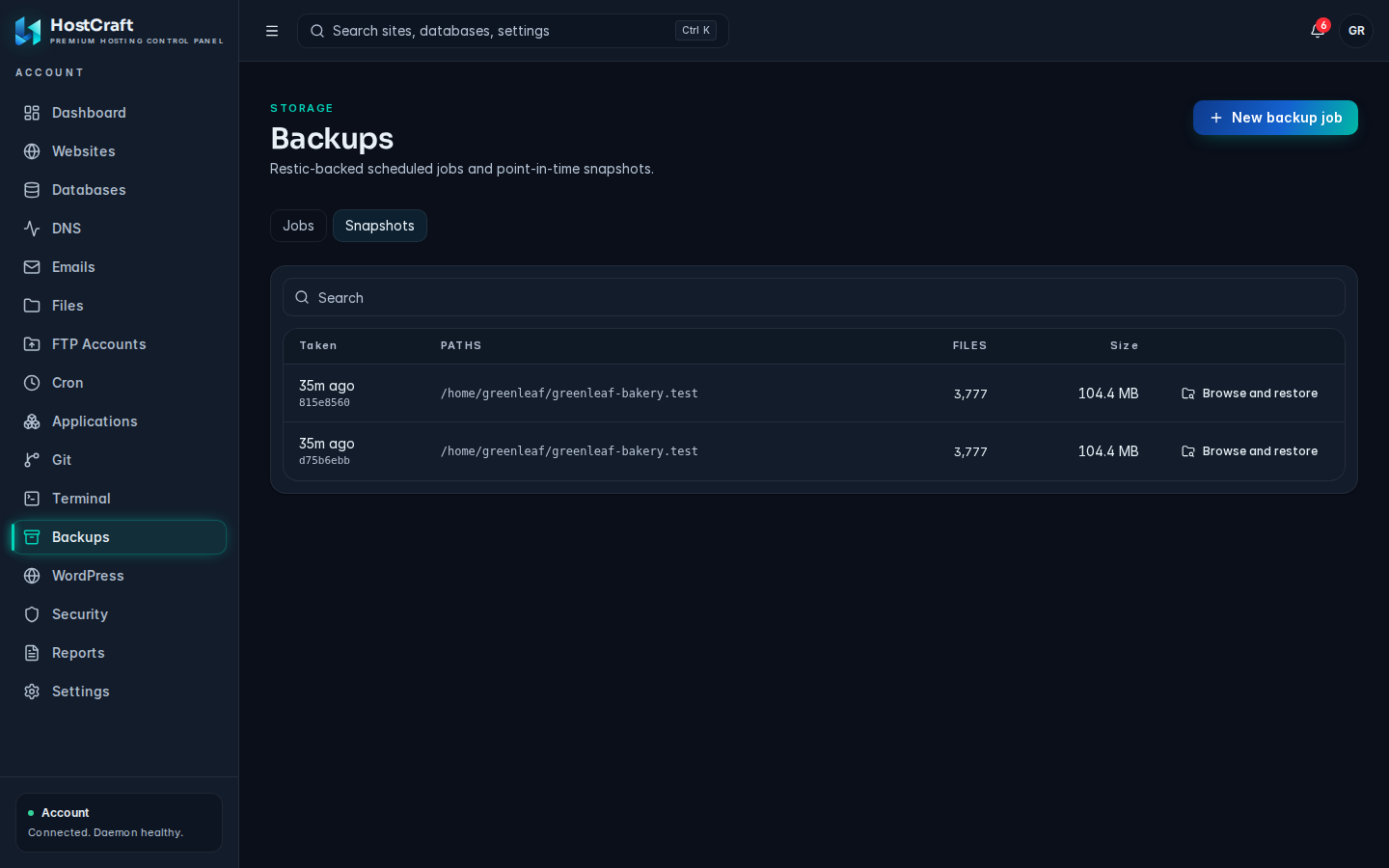
- Backups -> Browse snapshots
- Pick a date
- Pick the site, database, or mailbox
- Restore (sibling target by default; in-place requires confirmation)
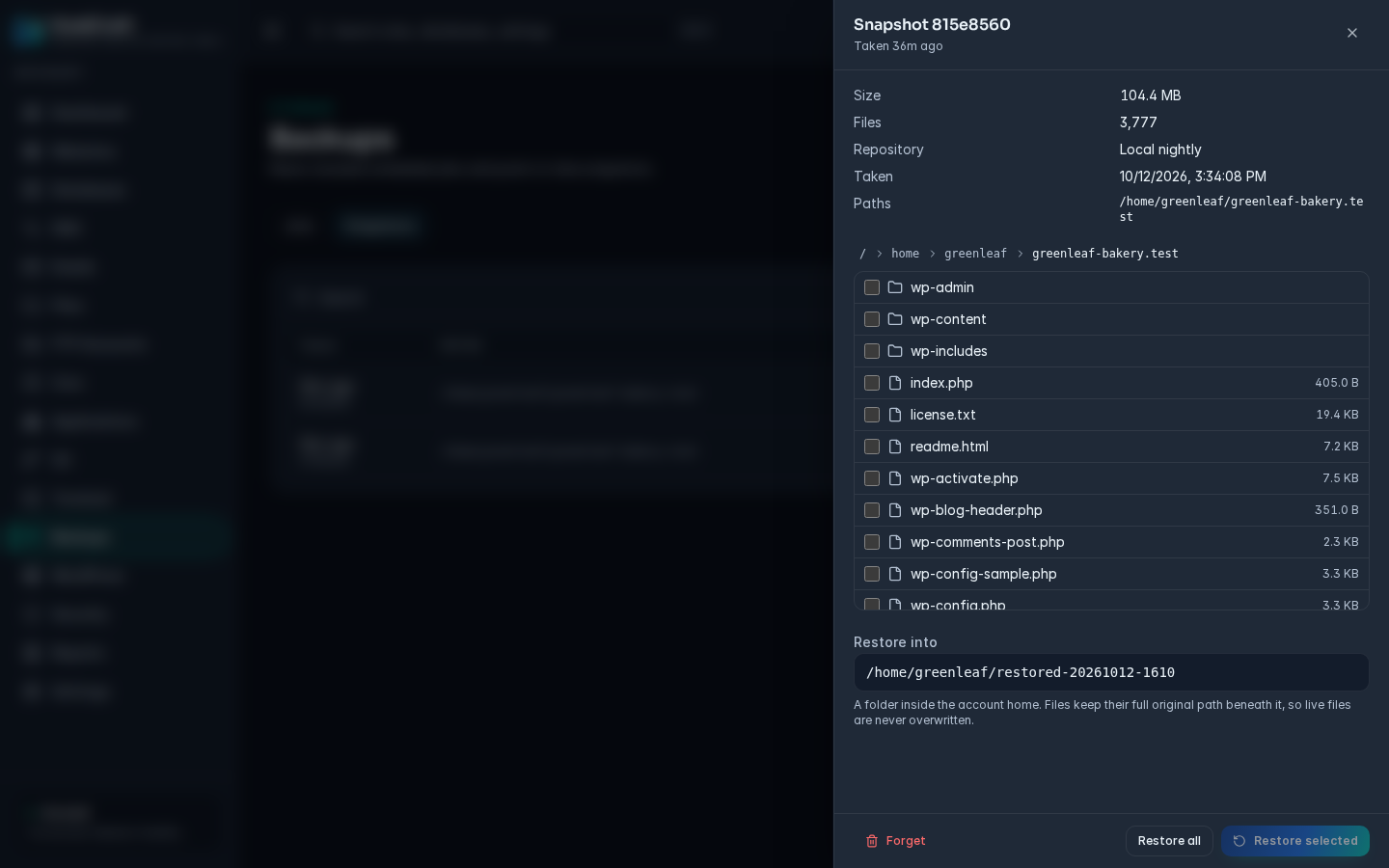
Sub-users with the developer preset can browse and restore code; the mail_admin preset can browse and restore mailboxes; billing cannot restore at all.
What is not yet in v1
Section titled “What is not yet in v1”- Object-lock or governance-mode for ransomware protection (planned for v1.1; today the operator can configure it manually on the storage provider side)
- Synthetic full snapshots (restic does not need them; the dedup story already covers the use case)
- Customer-supplied encryption keys (BYOK; planned for v1.2)