
Roles and access control
HostCraft has a fixed six-role hierarchy. Roles are not configurable. Permissions are typed Go constants maintained by hand in daemon/internal/auth/perms/perms.go; every API route checks one, and adding a route means adding its constant. There is no string-based runtime policy editor; that pattern leaks too easily.
The six roles
Section titled “The six roles”| Role | Scope | Notes |
|---|---|---|
super_admin |
Cluster-wide | JCR or vendor only. WebAuthn mandatory. Rare. |
server_admin |
One server | Manages the box. WebAuthn mandatory. |
reseller |
A pool of accounts | Has its own customer accounts under it. |
account_owner |
One hosting account | The customer. Default for self-signups. |
sub_user |
An account, scoped | Delegated access with preset or custom permission scope. |
mailbox_user |
One mailbox | Login surface is webmail only. Never reaches the panel. |
The hierarchy enforces both inheritance (a server_admin can do anything inside a reseller's accounts) and isolation (a reseller cannot reach another reseller's accounts). Tenancy is enforced structurally in the state module, not by convention.
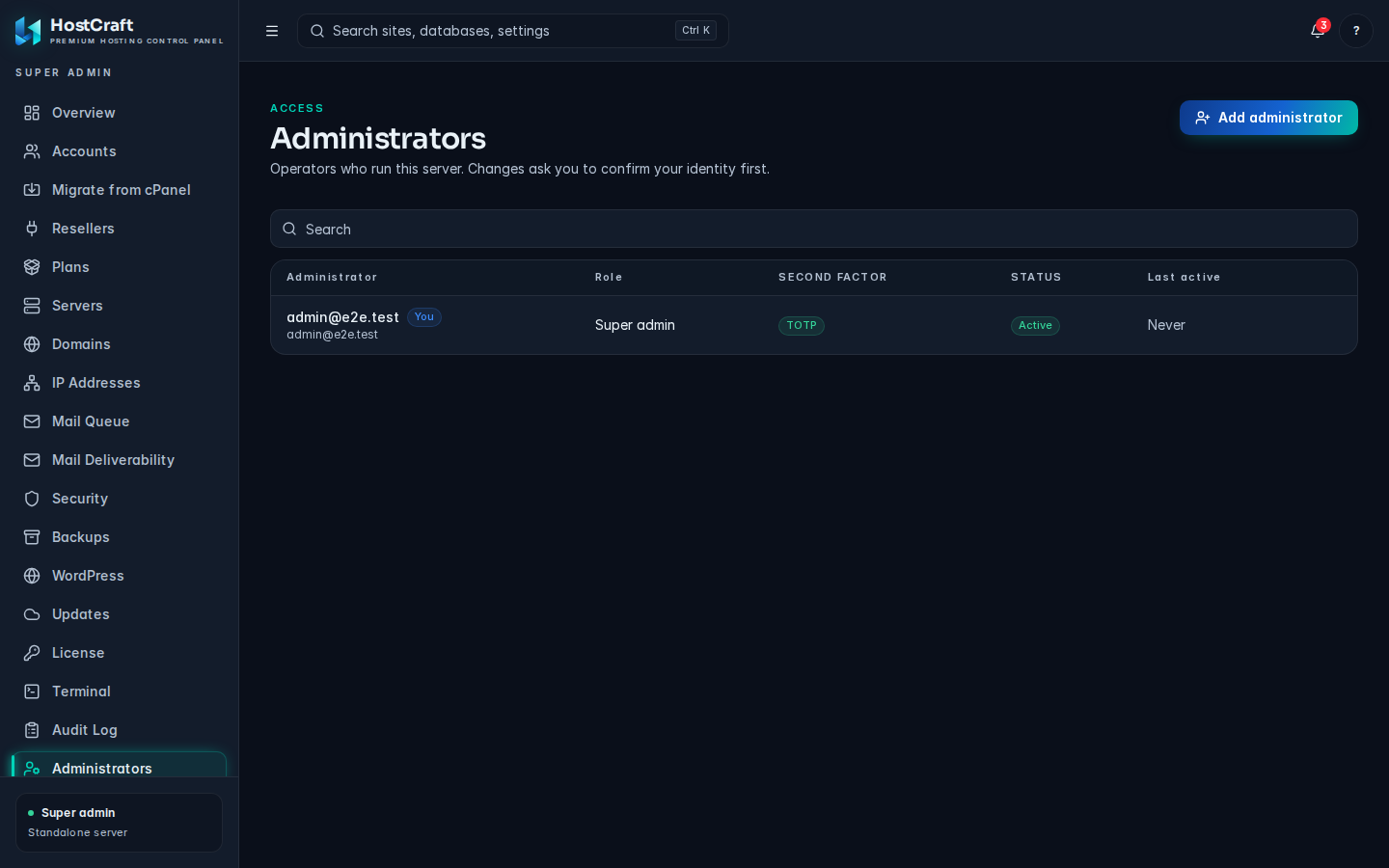
Administrators: role, second factor and status per operator.
Sub-user presets
Section titled “Sub-user presets”Account owners invite sub-users with one of the preset scopes, or a custom permission picker. Sub-users cannot delete the parent account or invite further sub-users. The preset matrix:
| Preset | Permissions |
|---|---|
billing |
View invoices, change payment method, view bandwidth and disk usage. |
developer |
Sites, databases, files, cron, SSH keys, deployments. No mail, no DNS, no billing. |
mail_admin |
Mailboxes, forwarders, autoresponders, DKIM, mail queue. No web, no billing. |
readonly_support |
Read-only across the account. Used for support sessions and audits. |
Plan limits cap the number of sub-users per account. Hitting the limit returns a structured error that the UI translates into an upgrade prompt.
WebAuthn enrolment
Section titled “WebAuthn enrolment”WebAuthn passkeys are mandatory for super_admin and server_admin in v1. Optional for resellers, account owners, and sub-users (recommended). Enrolment flow:
- Sign in with email + password (and TOTP if already enabled).
- Open Settings -> Security.
- Choose "Add passkey", give the device a label, complete the platform's WebAuthn ceremony.
- Generate recovery codes if not yet generated. Save them somewhere outside the panel.
A user with a passkey can still use email + password as a fallback unless the operator turns on "passkey required". Admin roles cannot turn off this requirement; it is policy-bound.
TOTP and recovery codes
Section titled “TOTP and recovery codes”TOTP is supported in addition to WebAuthn. Required for admin and reseller roles, optional for accounts. Apps tested: 1Password, Bitwarden, Aegis, Google Authenticator, Authy.
Recovery codes are generated once at 2FA enrolment. Ten single-use codes. Re-generating invalidates the previous batch.
API tokens
Section titled “API tokens”API tokens follow the prefix scheme hcp_live_... (or hcp_test_... for the JCR-managed staging environment). Tokens are scoped, expirable, and revocable. Generate one via Settings -> Developers -> API tokens, or from the CLI:
hostcraftd token create --name=ci-deploy --scope=web.site.read,web.site.deploy --ttl=90dTokens never carry session-level permissions for destructive admin actions. Anything classed as "destructive admin" (delete account, factory reset, license swap) requires a fresh interactive session re-authenticated within the last five minutes.
Sessions
Section titled “Sessions”Sessions are DB-backed, not JWT. The session cookie carries an HMAC plus the session ID; the server validates and looks up the row. This makes "log out everywhere" and instant revocation work correctly. Sessions surface in Settings -> Security -> Active devices.
Login surfaces
Section titled “Login surfaces”Three login surfaces, each with its own cookie scope so they do not cross-contaminate:
| Surface | Audience | Cookie domain |
|---|---|---|
panel.<server> |
admin, reseller, account, sub-user | the panel hostname |
webmail.<domain> |
mailbox users | the customer domain |
api.<server> |
API tokens only | no session cookie issued |
Audit log
Section titled “Audit log”Every state-changing call writes to audit_log. Append-only, retained for one year by default. Surfaces in the panel under Settings -> Audit, and via the REST audit endpoints under /api/v1/ for SIEM integration.
What gets logged: actor, IP, action, target, before / after JSON, outcome, error. What never gets logged: passwords, tokens, license JWTs, full request bodies that may contain credentials.
Brute force defences
Section titled “Brute force defences”Per-account lockout after five failed logins in a fifteen-minute sliding window. Per-IP rate limit on /login. New-country logins trigger a notification (not a block) so customers see "your account was used from somewhere new". Optional IP allowlist for admin and reseller roles.